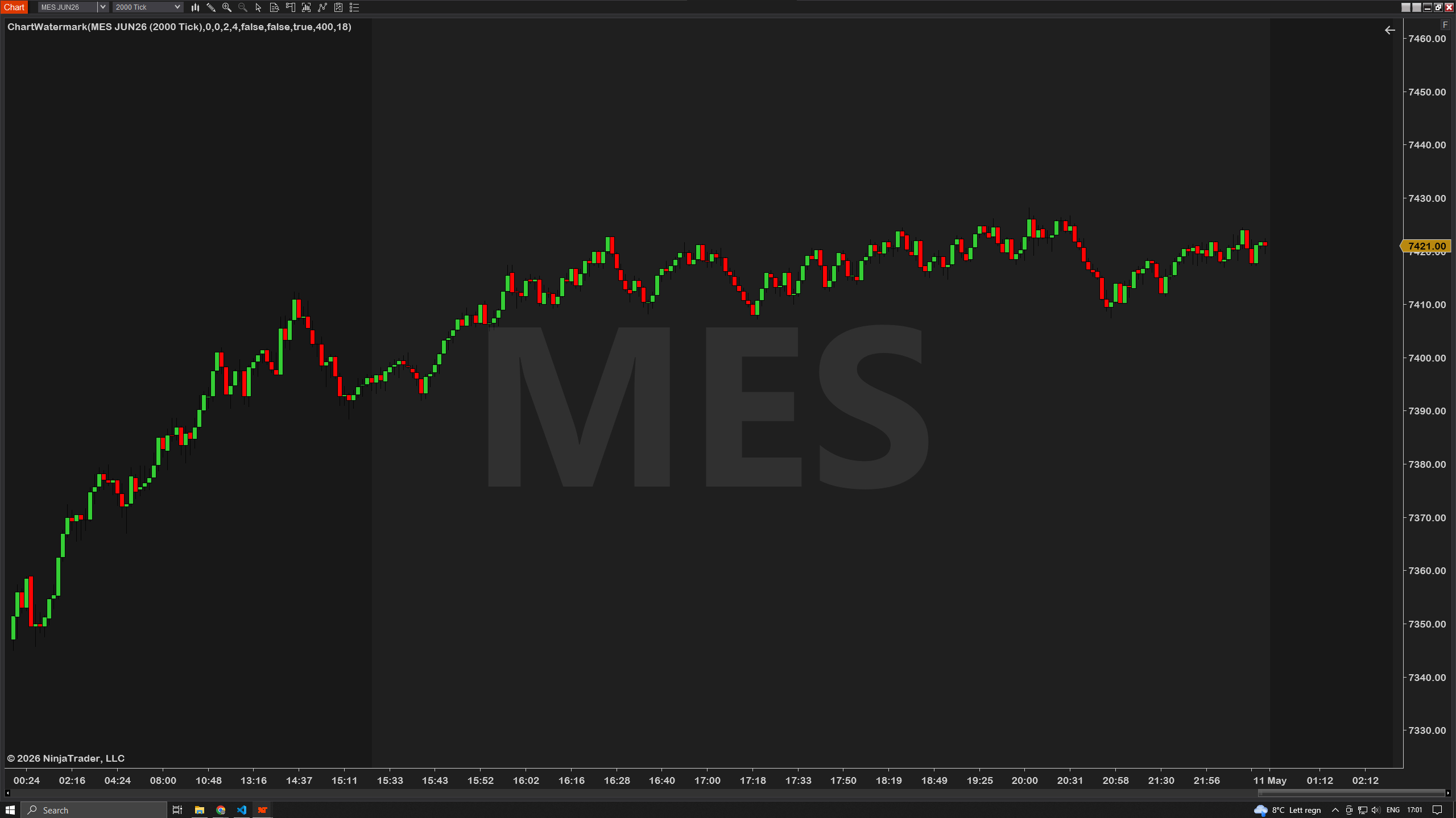
Every NT8 chart shows a small grey instrument label in the corner — useful, but tiny, dull, and impossible to customize. ChartWatermark replaces it with a watermark you actually control: position it anywhere on the chart, pick from 15 font families, set color and opacity, add a drop shadow or outline if you want it to pop. Eight built-in theme presets get you styled in one click — Dark, Light, Streamer, Minimal, Neon, Embossed, Bold red, or Custom. Useful for streamers and screen-recorders who need labels legible on video, traders running multiple monitors who want clearer visual separation between charts, or anyone tired of squinting at the default. Free, simple, and stays out of the way of price.
"Stream my charts to my private trading room every day and the default NT8 watermark is genuinely too small to read on a 1080p stream once OBS scales it down. Spent an hour trying to hack a screen overlay before finding this. ChartWatermark on the Streamer preset is exactly what I needed — legible label in the corner, font is bold enough to survive compression, and I can tint it red on my ES chart and green on my NQ chart so my audience can tell them apart at a glance. Took ten seconds to set up. Free is wild for what it does."

"Six monitors, sixteen charts open at any time. Knowing instantly which chart is which without having to read tiny grey text in the corner is a real ergonomic win. Embossed preset works for me. Lightweight, no lag."

"Does what it says. Neon preset looks great on dark theme. Would love a preset auto-flip-to-Custom when I tweak a setting — small UX thing — but honestly that's the only critique I have. Solid free tool."

"I record my entries for review every night and the recording software shrinks everything by 30%. The default NT8 watermark turned into an unreadable smudge. Cranked ChartWatermark up to size 64 with the Bold red preset and now I can actually read which instrument I was looking at three weeks ago when I'm reviewing a clip. Sounds trivial until you actually do it. Workhorse tool for anyone doing post-trade video review."
"Set it up in 30 seconds. Picked the Minimal preset, dropped opacity to 35%, done. Light enough to ignore but loud enough to glance at. Perfect for what it is."