Frequently asked questions.
Custom Builds
Yes — custom development is open on a case-by-case basis. Most realistic indicator requests are doable.
Email support@usefulindicators.com with the subject "Custom indicator request" and include:
- What it should do, in trader terms (no code-speak required — describe the visual or the rule).
- Markets and timeframes you want it to work on.
- Reference indicators, screenshots, or sketches if you have any.
- Your budget range, if you have one in mind. If you don't, we'll quote.
You'll get a reply within 24 hours with a feasibility assessment and a price quote. If it's straightforward, we can usually deliver in 1–2 weeks. Complex multi-feature builds take longer.
What we won't build: anything that involves shared/redistributable code (we keep custom builds private to the requester), automated trading systems with promise-of-profit framing, or anything we don't think will actually work.
Cost depends entirely on scope. We give a fixed quote before any work starts — no surprises mid-project.
Three rough size buckets:
- Small modifications — adding a setting to an existing indicator, changing a default, tweaking a calculation. Fastest and cheapest.
- Standard custom indicator — a new indicator from scratch with documented requirements. Most requests fall here.
- Complex multi-feature builds — multi-asset systems, advanced visualizations, indicators with their own configuration UI. Quoted individually.
Email us with your idea and we'll reply within 24 hours with a fixed quote. There's no minimum and no rush fee — we work at the pace the project genuinely needs.
Honest estimates by project type:
- Small modifications — typically 3–7 days from agreement to delivery
- Standard custom indicator — usually 2–4 weeks
- Complex multi-feature builds — 4–8 weeks, sometimes longer if the spec evolves
The biggest variable isn't writing the code — it's quality. Every custom build goes through the same audit process as our public products: NT8 hard-rules pass, performance check, multi-instance test, real-chart soak. We don't ship something that compiles but isn't bulletproof.
You'll get a specific timeline estimate with the initial quote, plus a status update each week during development.
Yes — small modifications to existing UsefulIndicators tools are often the most economical option. Common requests:
- Adding a new option or toggle
- Changing a default value or behavior
- Adding alerts or sound triggers
- Adjusting how a level/line is drawn
- Adding a new market or instrument-specific behavior
Email us describing the change, and we'll quote it. Modifications are typically faster and cheaper than custom-from-scratch indicators because we already know the codebase.
Note: modifications stay private to you. They don't roll into the public version unless we both agree the change benefits all customers.
Yes — porting an indicator from another platform is one of the most common custom requests we get. Frequently ported sources:
- TradingView Pine Script → NT8 NinjaScript
- MetaTrader (MQ4 / MQ5) → NT8 NinjaScript
- ThinkOrSwim (thinkScript) → NT8 NinjaScript
- Sierra Chart studies → NT8 NinjaScript
- cTrader cBots → NT8 NinjaScript (indicator-only logic)
What we need from you to quote a port:
- The original source code (preferred), or
- A clear, written specification of what the indicator does
A screenshot alone usually isn't enough — we can't reliably reverse-engineer behavior from how a chart looks. Also note: some platform-specific features don't translate directly (e.g. TradingView's security() function for multi-timeframe data has a different equivalent in NT8). We'll flag any gaps in the initial quote.
Pricing for ports falls in the same scope buckets as custom builds — usually "standard custom indicator" range.
No. Custom builds are private to the customer who commissioned them.
Specifically:
- We don't resell custom builds to other customers.
- We don't redistribute the code or strategy logic.
- We don't use custom logic in our public products without your written agreement.
This is critical because traders often commission custom builds based on personal edges they've found in markets. Your edge is your edge — we don't dilute it by shipping it to your competition.
The only thing we keep is the capability — meaning if a future customer asks us to build something similar but different, we can take that on. We never copy your specific indicator to anyone else.
Yes — we routinely sign NDAs (non-disclosure agreements) for custom builds based on proprietary trading edges. Most customers don't ask, but it's available on request.
How it works:
- You send your NDA template, or we'll provide a simple mutual NDA you can review and sign.
- We sign before you share any sensitive logic or specifications.
- The NDA covers the trading concept, the spec, and the resulting code.
Even without an NDA, our standard practice is the same: we don't resell, redistribute, or talk about custom builds with other customers. The NDA just formalizes a commitment we'd honour anyway.
If your trading logic involves sensitive intellectual property (e.g. work product from a fund or institution), let us know up front so we can adjust the engagement accordingly.
Standard arrangement:
- You hold the licence to use the custom build, on your own machines, in your own trading. You can use it forever, on as many of your own setups as you need.
- We retain the source code for support, maintenance, and bug fixes. This means we can keep updating the build for you across NT8 version changes without complications.
Effectively: you own usage rights, we maintain the source. You never have to worry about losing access — your licence is permanent, the same as any of our public products.
If you specifically want a full source code transfer (you intend to maintain or modify the code yourself), that's available for an additional fee. Most customers don't need this and prefer the maintenance arrangement.
Yes — every custom build includes:
- 30 days of post-delivery support, included in the price. Bug fixes, behavior tweaks, settings adjustments — anything within the original spec.
- NT8 compatibility patches forever, free. If a future NinjaTrader build breaks your custom indicator, we patch it and send you the update at no charge — same policy as our public products.
- Email support for general questions about how the build works, indefinitely.
What's not included in base support:
- New features added after delivery — quoted as additional work.
- Major scope changes (extending to a different market or trading style) — quoted separately.
For customers who want regular updates and tweaks (typical for institutional users running custom builds in production), we also offer optional ongoing maintenance contracts. Email us if that fits your situation.
Custom builds work differently from off-the-shelf products because they're custom-built to your spec. Our refund approach:
- Before code is written (after quoting, before development starts) — full refund of any deposit, no questions.
- During development — partial refund based on what's been completed; we keep proportional cost for time spent.
- After delivery — refund only if the build doesn't match the agreed spec. We'll fix it first; refund only if the underlying request can't actually be built as agreed.
To make this clean, every custom build starts with a written spec we both sign off on, including acceptance criteria. That way "does it work" has a clear answer.
If you're unhappy with the result for any reason — even subjective ones — email us and we'll work it out. We don't want unhappy customers; we'd rather refund or rebuild than damage the relationship.
Compatibility
Yes — every UsefulIndicators indicator is data-provider agnostic. They read from NinjaTrader's bar data, not directly from the data feed, so any provider that NT8 supports will work.
Confirmed working on:
- Rithmic — most futures brokers (Tradovate, Edge Clear, Stage 5, etc.)
- Kinetick — NT8's free default feed
- IQ Feed — for stocks/ETFs and equities-side traders
- CQG — for institutional / multi-asset setups
- Interactive Brokers through NT8's IB integration
If you run a less common feed and something behaves oddly, email support and we'll investigate. We've never seen a feed-specific incompatibility, but we'd want to know.
Yes — our indicators are built and tested for international customers. About a third of our user base trades from outside the US (Europe, Asia, Latin America, Australia).
Most indicators with time-based logic (session VWAPs, IB ranges, news indicators, etc.) include a Timezone setting with these options:
- System Default — matches your PC clock (use this if your NT8 chart timezone is set to System Default too — the most common setup)
- UTC
- Eastern Time — for traders who set their chart to ET regardless of location
- Custom — pick any timezone if your chart uses a non-default setting
If you're in a non-US timezone and run the default NT8 setup, everything just works. If you customised your NT8 timezone settings, set the indicator to "Custom" and select the matching zone.
It depends on the indicator. Most UsefulIndicators tools work on any instrument NT8 supports:
- Futures ✓ — ES, NQ, YM, RTY, CL, GC, ZN, ZB, etc. Default test bed for most of our indicators.
- Stocks ✓ — works on any stock with a NT8-supported feed.
- ETFs ✓ — same as stocks.
- FX — works for indicators that don't depend on volume. Many FX feeds don't provide tick volume, which limits volume-based tools.
- Crypto — works if your crypto feed delivers proper bar data through NT8 (most don't natively, but some do via 3rd-party connectors).
Specific call-outs:
- Volume profile / volume-based indicators need a market with tick volume. Futures and US stocks have it. Spot FX usually doesn't.
- Time-based indicators (session VWAPs, IB ranges, news) work on any instrument that has the relevant trading hours configured in your NT8 session template.
Each product page lists supported instruments under "Compatibility" — check before purchase if you trade something unusual.
Yes — our indicators work on every prop firm's NT8 setup. Confirmed working with:
- Topstep
- Apex Trader Funding
- Earn2Trade
- The Trading Pit
- Take Profit Trader
- Bulenox
- My Funded Futures (MFFU)
- Tradeify
Why it works universally: prop firms set up NT8 with their data feed (usually Rithmic) and connection profiles. From the indicator's perspective, a prop account is identical to a personal account — same NT8, same chart data, same NinjaScript engine.
One thing to verify on your prop firm: a few firms have rules about third-party tools during their evaluation phase. Check your firm's specific terms — but the indicator itself is just drawing on your chart, it doesn't interact with order flow or compliance systems.
Most prop traders use our indicators successfully through both eval and funded phases.
Most indicators work on every chart type NT8 supports: tick, volume, range, second, minute, hour, daily.
Each product page lists supported chart types under "Compatibility" — check there before purchase if you trade an unusual chart type.
A few exceptions to be aware of:
- Time-based indicators (session VWAPs, Initial Balance ranges, news indicators) work best on time-based charts (1-min, 5-min, 15-min, etc.). They still load on tick/volume/range charts but the visual logic is designed around time bars.
- Volume-based indicators need a chart with volume data — futures and stocks both have this; FX through some brokers does not.
For tick-sensitive logic (e.g. real-time VWAP updates), we use NT8's Calculate.OnEachTick mode where it matters, so values stay accurate intra-bar.
NinjaTrader 8 build 8.1.x or later. That covers virtually every NT8 install in active use today — if your NT8 is from the last few years, you're good.
To check your version: in NT8's Control Center, go to Help → About. The version is shown on the top line.
If you're on an older NT8 build and want to update, click Help → Check for updates. NinjaTrader's update is free.
We do not support NinjaTrader 7. NT7 reached end-of-life and our codebase uses NT8-specific features.
Yes — if NinjaTrader 8 itself runs in your VM, our indicators run there too. NT8 is a Windows-only application, but it works fine in:
- Parallels Desktop on Mac (most popular for Mac traders)
- VMware Fusion on Mac
- VirtualBox on Mac or Linux
- Cloud Windows VPS (AWS, Vultr, ContaboHost, etc.)
From the indicator's perspective there's no difference between native Windows and a VM — it's just NinjaTrader running, period.
One note: VMs sometimes have slightly higher latency for tick data. If you scalp on tick charts and notice lag, check your VM's CPU allocation and network forwarding before suspecting the indicator.
Yes — our indicators load in Strategy Analyzer for visual backtesting and chart replay.
Indicator behavior is identical between live charts and Strategy Analyzer because both use the same NinjaScript engine. Whatever you see on a live chart is what gets backtested.
What this is not: our indicators are not automated trading strategies. They draw levels, plot lines, and provide context — they don't enter or exit trades. If you want a fully automated strategy, see the Strategies page.
That said, you can use any of our indicators as building blocks inside your own custom strategy via Strategy Builder or coded NinjaScript strategies.
Yes — every indicator is designed for multi-instance use. Common reasons traders do this:
- Two ProVWAP instances anchored to different sessions (e.g. RTH-anchored + globex-anchored)
- Multiple Intraday Reference Levels with different visual styling per instance
- Two EmaColorZones with different period combinations layered on the same chart
Each instance keeps its own settings independently. Drawings from one instance won't conflict with drawings from another — we use unique tags per instance internally.
Add a second instance the same way you added the first: right-click chart → Indicators… → select the same indicator → Add. Both will appear; tweak each individually.
Performance is part of every indicator's audit before release. We test with chart histories up to 30 days of 1-minute data (about 30,000 bars) — the kind of stress that exposes inefficient code.
What we do under the hood to keep things fast:
- Live-bar gating — heavy work (drawing fills, painting bars) only runs on the most recent bars, not the entire chart history
- One-shot backfills — paint-bar logic runs once on chart load, then incrementally per new bar
- Smart caching — brushes, text formats, and computed values are cached and reused across paint frames
- Direct2D rendering where it matters (custom drawing) instead of the default WPF path
If you ever notice an indicator slowing your chart, that's a bug — email support and we'll fix it.
Installation
Every indicator ships as a single .zip file. NinjaTrader 8 imports the whole zip in one click — no manual file copying required.
- Open NinjaTrader 8.
- From the Control Center menu, go to Tools → Import → NinjaScript Add-On…
- Browse to the
.zipfile you downloaded after purchase and select it. - NinjaTrader will import and compile the indicator automatically. You should see a green confirmation message.
- Restart NinjaTrader (recommended after the first import).
- To use the indicator: open any chart, right-click → Indicators…, find the indicator name in the list, click Add, then OK.
That's it — the indicator will appear on your chart with default settings. Right-click it on the chart anytime to adjust settings.
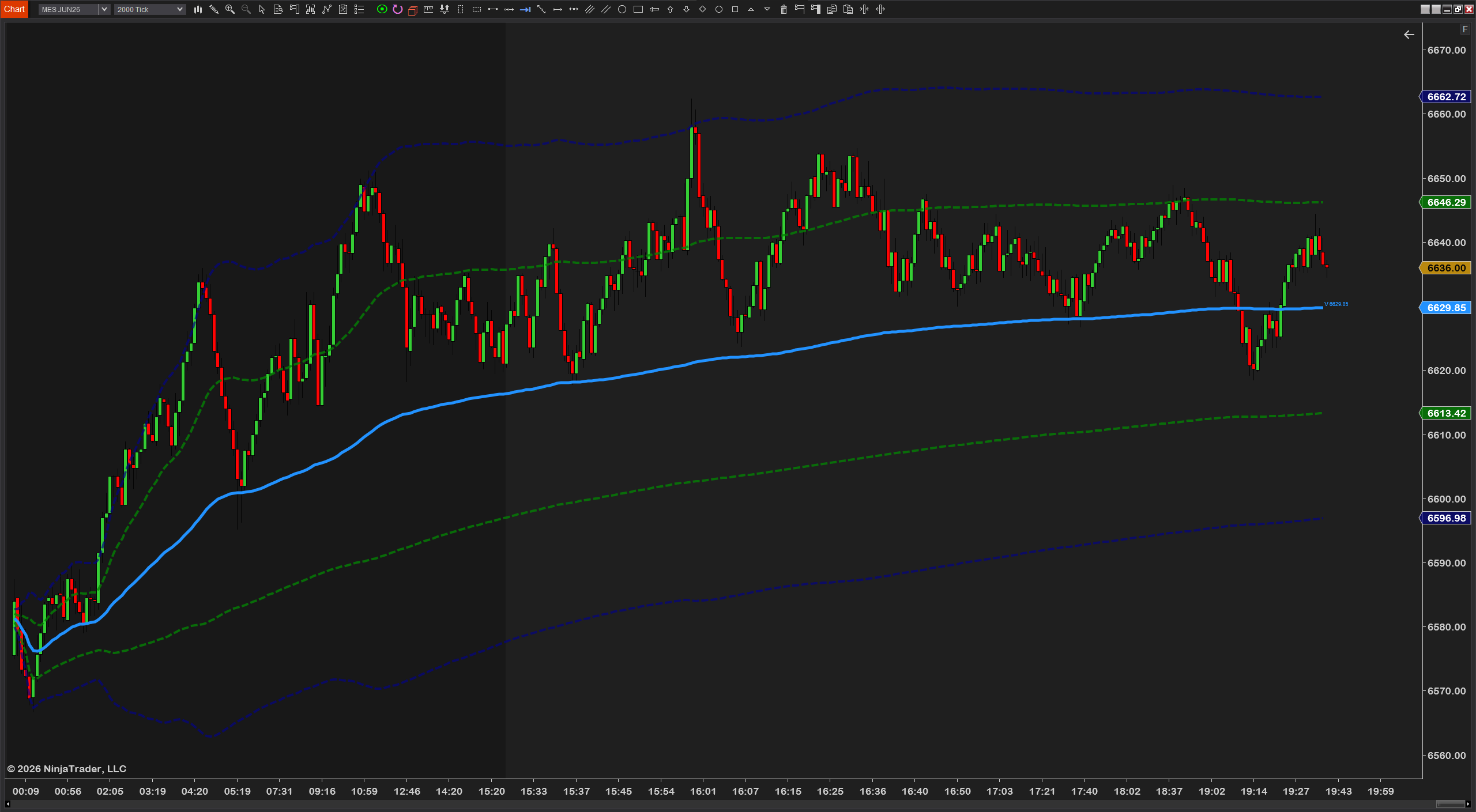
Right after checkout, you'll receive an email from UsefulIndicators (via our payment processor, Lemon Squeezy) with a unique download link.
The link works:
- Multiple times — download as many copies as you need
- For 24 hours from the time of purchase
- From any device — desktop, laptop, phone
If the link expires before you can download it, just email us at support@usefulindicators.com with your order number — we'll send a fresh link within hours.
The download email is sent automatically right after checkout, but a few things can delay or hide it:
- Check your spam, junk, or promotions folder. The first email from a new sender often lands there.
- Wait 5–10 minutes. In rare cases the payment processor takes a few minutes to confirm the order.
- Search your inbox for "usefulindicators" or the product name.
If you still can't find it, email support@usefulindicators.com with your order number (in your purchase confirmation) and the email you used at checkout. We'll resend the download link within a few hours.
Recommended but not required. Our installs are non-destructive — they don't touch existing indicators, charts, or settings — so most customers skip the backup step. But if you're cautious or running a critical setup, it takes 10 seconds.
Quick workspace save:
- In NT8: File → Workspaces → Save All — saves your current chart layouts and indicator instances.
Full backup (everything):
- In NT8: Tools → Backup → Manual Backup — backs up the entire NT8 user data folder including all charts, indicators, strategies, and settings. Takes a minute or two.
- To restore: Tools → Restore and pick a backup file.
Worth backing up before: significant updates, switching computers, NT8 itself updating to a major new build, or any time you'd be upset if something got reset.
Compile errors after import are almost always one of two issues. Try these in order:
- An older version of the same indicator is still installed and conflicting. Go to Tools → Remove NinjaScript Assembly, find the old indicator name in the list, remove it, then re-import the new zip.
- NinjaTrader needs a full restart. Close NT8 completely (right-click the system tray icon → Exit), then reopen. The first compile after import sometimes only takes effect after a restart.
- You're running an older NT8 build. Update NinjaTrader to the latest version via Help → Check for updates. We support NT8 builds from 8.1.x onwards.
If none of those fix it, email support@usefulindicators.com with:
- The exact error message (screenshot of the NT8 Output Window: New → NinjaScript Output)
- Your NT8 version (Help → About)
- The indicator name and version
We typically have a fix within a few hours.
If the import was successful but the indicator doesn't appear when you right-click the chart → Indicators, try these in order:
- In the Indicators dialog, clear any text in the search/filter box at the top — a leftover filter can hide everything that doesn't match.
- Scroll the full list — the indicator name might be alphabetically lower or higher than where you're looking. Indicators are listed by class name, which sometimes differs slightly from the marketing name.
- Restart NinjaTrader fully (right-click system tray icon → Exit, then reopen). NT8 sometimes only registers a newly-imported add-on after a restart.
- Check that the NinjaScript Output Window (New → NinjaScript Output) shows no errors during compile — a hidden compile failure can stop the indicator from registering.
If it still doesn't appear, send us a screenshot of the Indicators dialog and the NinjaScript Output Window — we'll diagnose remotely.
Updating is the same process as the original install — just import the new .zip we email you when a new version ships.
- Download the updated
.zipfrom the update email. - In NT8: Tools → Import → NinjaScript Add-On…
- Select the new zip. NT8 detects it's the same indicator and replaces the old version automatically.
- Restart NinjaTrader (recommended after major version updates).
Your existing indicator instances on charts keep their settings. New features default to off / sensible defaults — your old configurations don't get overwritten.
If you've heavily customized an indicator and want to test the update without losing your current setup, save your workspace before updating: File → Workspaces → Save.
Yes — NT8 makes uninstalling clean and easy:
- Go to Tools → Remove NinjaScript Assembly
- Find the indicator in the list (sorted alphabetically by name)
- Select it and click Remove
- Restart NinjaTrader
This removes the indicator from NT8 entirely. Any charts that had the indicator displayed will show a "missing indicator" placeholder until you remove it from the chart's Indicators dialog.
Uninstalling does not affect your chart history, drawings, or other indicators.
No. NinjaTrader 8 itself is the only requirement. We use the standard .NET runtime that ships bundled with NT8 — no separate installs, no third-party libraries, no external dependencies.
The indicator file is self-contained: a single .zip that NT8 unpacks and compiles in one step.
This also means our indicators don't talk to outside servers, don't phone home, and don't require an internet connection to run. They read your chart data and draw on your chart — that's it.
Payments & Refunds
14-day full refund, no questions asked.
If the indicator doesn't fit your workflow for any reason — too simple, too complex, didn't behave the way you expected, just not your style — you get your money back.
- Email support@usefulindicators.com with the subject "Refund — [product name]" and include your order number.
- You'll get a confirmation reply within 24 hours.
- The refund is processed through our payment provider and lands back on your card within 1–2 business days.
You don't owe us a reason. But if you have time to share why, we read every reply and use the feedback to improve future versions.
We don't offer time-limited trials, but we do offer two ways to try before committing:
- Free indicators — several of our indicators are 100% free, no email required. They give you a strong sense of our code quality, attention to detail, and how our tools feel on a real chart. ProVWAP, EmaColorZones, FuturesNewsIndicator, IntradayReferenceLevels, WeeklyHLLines, and MonthlyHLLines are all free.
- 14-day refund policy — every paid indicator can be refunded within 14 days, no questions asked. Effectively a risk-free trial: buy, install, use it for two weeks, decide. If it doesn't fit, we refund.
We chose this model because time-limited demos add friction (licence keys, expiration logic, "but you said free!" support emails) and because our 14-day refund covers the same use case more cleanly.
One-time payment. No subscription, ever.
You buy the indicator once, you own that licence forever. There are no recurring charges, no monthly fees, no annual renewal, no expiring access. Free updates are included for life (see the Updates section below).
This is a deliberate choice. We're traders selling tools to other traders — the subscription model would mean charging you again for software you already own. That's not how we want to run this.
Yes — your licence covers personal use across all your own machines. Common setups our customers run:
- Desktop trading workstation + a laptop for travel
- Home PC + office PC
- Main PC + a backup machine
There's no machine ID lock, no activation server, no licence key to enter, and no DRM check. You just import the zip on each of your machines and it works.
What's not allowed: sharing the indicator with other traders, posting the file online, or reselling it. We trust customers to use the licence as intended; abuse will result in revoked access without a refund.
Payment is processed by Lemon Squeezy, a trusted online payment provider used by thousands of software companies worldwide. They accept:
- Credit and debit cards (Visa, MasterCard, American Express, Discover)
- PayPal
- Apple Pay and Google Pay (on supported devices)
- SEPA direct debit (EU customers)
- iDEAL, Bancontact, and other regional methods (varies by country)
You'll see all available payment methods on the checkout page based on your region.
Yes. A few different ways:
- Multi-buy bundle pricing — discounted price when you buy 2+ paid indicators together. Applied automatically at checkout.
- Seasonal promotions — occasional limited-time discounts on individual products.
- Beta tester benefits — pre-release access and discounts for trusted testers (email us if you'd like to join the tester pool).
Any discount is applied automatically — there are no hidden coupon codes to hunt for. We don't run "blowout sales" or fake-urgency timers; pricing reflects the value of the tools, not high-pressure tactics.
It depends on where you're buying from. Our payment provider, Lemon Squeezy, handles tax compliance automatically:
- EU customers — VAT is added at your country's standard rate, shown clearly at checkout. Lemon Squeezy remits it directly to tax authorities. If you have a valid VAT number, you can enter it at checkout to remove VAT.
- UK customers — UK VAT is added at the standard rate.
- US customers — sales tax may apply in some states based on Lemon Squeezy's nexus rules. Most US customers see no tax.
- Other regions — tax depends on local rules, applied automatically where required.
The price you see on our website is excluding tax. The total at checkout shows the final amount with any applicable tax included.
Yes. Immediately after checkout, Lemon Squeezy emails you:
- A receipt with the transaction details
- A PDF invoice with itemised tax (if applicable) — suitable for business expense claims and bookkeeping
If you need to update billing information on the invoice (company name, VAT number, address), you can do so at checkout, or contact us afterwards and we'll regenerate it.
If you've lost your invoice, email us with your order number and we'll resend a copy within hours.
There's no licence key, no activation server, and nothing to enter. After import, the indicator just works.
Why we don't use licence keys:
- Keys break. Servers go down. We've watched too many vendors leave customers stranded when their licence server died — we won't do that to you.
- Keys add friction. Real traders don't want to fight with activation when they're trying to focus on the market.
- Keys imply distrust. You bought the tool — it's yours to use.
Our model is honour-based: one licence per customer, used across your own machines. Sharing or reselling violates the licence and results in revoked access if discovered. Abuse has been rare; the trust system works because our customers respect it.
No. The licence is for your personal use only — across your own machines, but not shared with other traders.
If your friend or trading group wants the indicator, please ask them to buy their own copy. Each purchase funds:
- Free lifetime updates for everyone, including you
- Direct support and bug fixes
- New indicators and features down the road
Sharing the file (sending the zip, posting it online, including it in a course or community) is a licence violation and will result in revoked access for the original purchaser without refund.
We get that traders share tips constantly — but software files are different. Treat them like a paid course or a paid subscription: yours to use, not yours to redistribute.
Updates
Yes — every indicator includes free updates forever.
When a new version of an indicator you own is released — whether it's a bug fix, a performance improvement, or a new feature — you get an email with the updated zip file, automatically. No re-purchase, no upgrade fee, no expiring licence.
This applies to all version increments: a v1.0 → v1.1 patch, a v1.x → v2.0 major release, anything in between.
The only thing you need to do is install the new zip the same way you installed the original (Tools → Import → NinjaScript Add-On). The new version replaces the old one in NT8.
You'll receive an email at the address used at purchase, sent to all existing customers when a new version ships. The email includes:
- A direct download link for the updated
.zip - A short changelog of what's new and what's fixed
- Brief install instructions if anything changed
We don't spam. Update emails only go out when there's an actual new version — usually that means meaningful changes, not minor tweaks.
If you want to be sure you don't miss them, add support@usefulindicators.com to your safe-senders / contacts list.
Each update ships with a changelog — a short, plain-English list of what's new, what's fixed, and any behavior changes. You can find it in three places:
- The update email — sent to all existing customers when a new version drops, with the changelog included.
- The product page — every indicator's product page has a "Version History" section listing all releases with their changelog.
- The Changelog.txt file included in the indicator zip — when you download the update, this file is bundled with the install. Open it to see what's new before installing.
Changelogs are written for traders, not engineers: "Fixed: VWAP no longer freezes when zooming out on charts with 30+ days of history" rather than "Fixed: rendering loop in OnRender method".
Yes — NinjaTrader 8 stores indicator settings per chart instance, separately from the indicator's underlying code. When you import an updated version, your existing chart instances keep their saved settings.
Two notes:
- New features added in the update default to off or to sensible neutral values, so they don't change how your chart looks unless you opt in.
- If a setting is renamed between versions (rare but possible), the changelog email will call it out so you know to reconfigure.
If you've heavily customized an indicator and want to test the update before committing, save your workspace first: File → Workspaces → Save. You can roll back if needed.
Yes — we keep older versions available on request. If you've installed an update and prefer the previous version (different behavior, different feature set, etc.), email us with:
- The indicator name
- Your order number
- The version you'd like to roll back to (or just say "the previous version")
We'll send you the original zip file. You can install it the same way as any update — Tools → Import → NinjaScript Add-On — and NT8 will replace the current version.
A few notes:
- Rolling back is rare. Most updates only add features or fix bugs without changing existing behavior. If something feels different after an update, it's worth checking the changelog first — usually the change is a setting you can toggle off rather than a forced behavior change.
- Compatibility patches (the ones we ship after NT8 itself updates) generally shouldn't be rolled back — they restore working state, not change behavior.
If a roll back is the right call for you, we don't make you justify it. Just ask.
No problem — email support@usefulindicators.com with your order number and we'll resend the latest version directly. Usually within hours.
You can also check the product page for any indicator you own — version history is published there.
Yes — feature requests from customers shape a meaningful chunk of what we ship.
Email support@usefulindicators.com with the subject "Feature request — [product name]" and tell us:
- What you'd like the indicator to do
- Why it matters to your trading (helps us prioritise)
- An example or sketch if you have one
We can't promise every request will ship, but we read every one. Many shipped features started as customer emails — if your idea fits the indicator's purpose and helps other traders too, it has a good chance of landing in the next update.
NinjaTrader occasionally releases new NT8 builds (e.g. 8.1.4 → 8.1.5) that change underlying APIs. When that happens, indicators built against the old API can break.
Our commitment:
- We test against new NT8 builds as soon as they're released.
- If a compatibility issue appears, we ship a free patched version — usually within 1–2 weeks of the breaking NT8 update.
- You're notified via the standard update email.
If a NinjaTrader update has broken something for you and you haven't heard from us yet, email support — sometimes you'll be the first person to flag it, and we'll prioritise the fix.
It varies by product. Our update cadence is honest, not artificial:
- Active development indicators (newer products, ones with active feature requests) get updates every 1–3 months on average.
- Stable / mature indicators (well-audited, doing exactly what they're supposed to) get bug-fix-only updates as needed — sometimes none for 6+ months because nothing needs fixing.
- Compatibility patches ship within 1–2 weeks of a breaking NT8 release.
We don't push out cosmetic updates just to look active. If you've gone six months without an update, that usually means the indicator is doing its job — no news is good news.